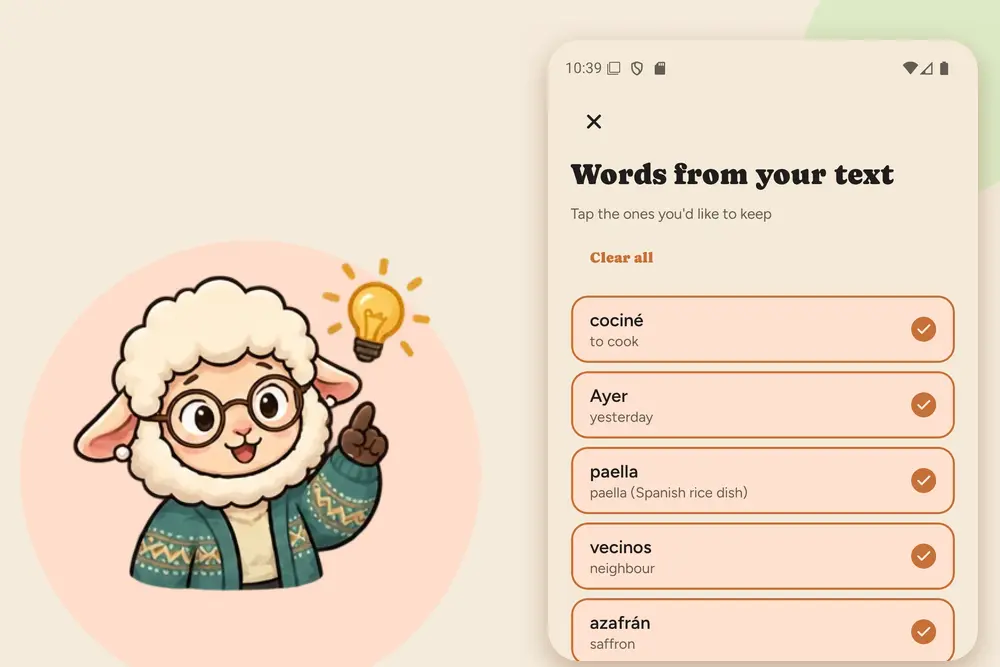
Making flashcards by hand is the part most people quit on. You find a word, look it up, type it in, hunt for an example sentence, and by the time the card exists you have lost the motivation to learn it. GrammarMama turns that around: you read, you pick the words you care about, and the cards are made for you.
In this article we'll cover:
- how a flashcard gets from a text you read to your review list
- the four ways to add words (app, website, share sheet, Chrome extension)
- what every card contains and how reviews are scheduled
- how it compares with Anki and Quizlet, honestly
The idea: you choose the words, we make the cards
Most flashcard apps ask you to write the cards, or to download someone else's deck. Neither is great for language learning: your own cards are slow to make, and a ready-made deck is full of words you will never use.
GrammarMama starts from what you actually read and hear. Paste any text, and it finds the words and phrases worth learning. You tick the ones you want. For each one, the translation in your own language and example phrases are prepared automatically, and the word joins your review schedule.
Four ways to add words
1. Paste a text in the app
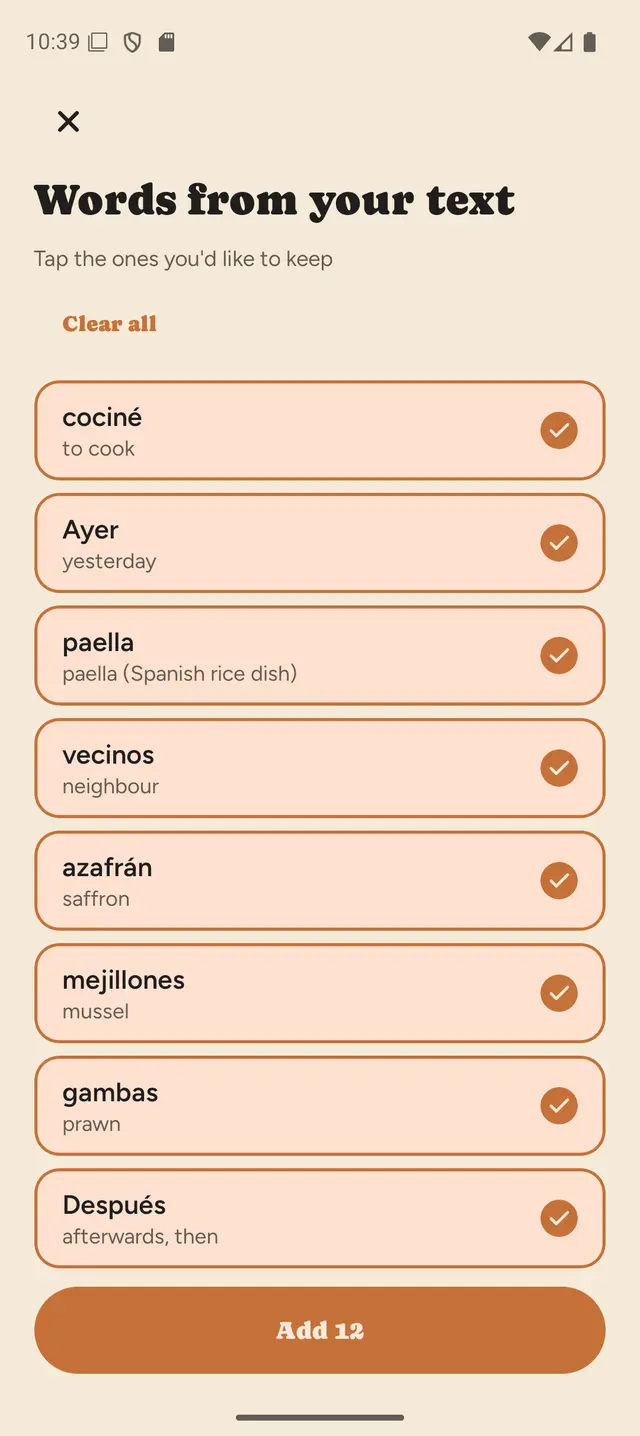
Open the Words tab, tap Add words, and paste an article, an email, a chat or subtitles. GrammarMama lists the words and phrases it found, each with its translation. Tap the ones you want to keep, or select them all, and press Add. The app tells you that these words will come first in your next practice.
2. Paste a text on the website
The same works in the browser. On the vocabulary page, paste your text and press Analyse. For every new word you see the translation, the level (A1, A2, B1 and so on) and the sentence it came from, so you remember the context too. Select the words you want and add them.
3. Share text from any app
Reading an article or a message in another app? Use the share sheet and send the text to GrammarMama. It opens the same word picker, so there is no copying and pasting in between.
4. Select a word on any web page
With the GrammarMama Chrome extension, select a word on any page to get a quick explanation, hear it spoken, and press the + button ("Add to vocabulary"). It lands in the same list as everything else, ready for the app.
All four ways feed one word list on your account. Add on the website at your desk, review on the phone on the way home.
What a card contains
- The word, with its article for nouns. In German you see der Tisch and die Speisekarte, in Spanish la receta, so you learn the gender together with the word.
- A translation in your own language. The interface is available in ten languages, and the translation follows it.
- Example phrases. Each word comes with example phrases, so you practise it inside a real sentence and not on its own.
- Audio. Tap the speaker to hear how it sounds.
How reviews work
Reviews use spaced repetition: a word you got right comes back after 1 day, then 3, 7 and 14. Four successful reviews and the word counts as mastered; mastered words get an occasional check-up much later, so they stay.
A few details that make the daily routine easy:
- Your own words come first. Words you added yourself are practised before the suggested ones.
- "I already know this." If you know a word, mark it and skip straight ahead.
- You choose the pace. Set 5, 8 or 10 new words a day. When many reviews are waiting, the app brings fewer new words so nothing piles up.
- Say it aloud. Each word is practised out loud, first the word and then the sentence, and the app scores your pronunciation. Saying a word out loud also helps it stick.
How it compares with Anki and Quizlet
| Anki / Quizlet | GrammarMama | |
|---|---|---|
| Who writes the cards | You, or other users' shared decks | Made from the texts you read |
| Translation and example phrases | You add them | Prepared automatically |
| Spaced repetition | Yes | Yes (1, 3, 7, 14 days) |
| Speaking and pronunciation scoring | Not built in | Each word and phrase is practised aloud and scored |
| Add words while browsing | Add-ons or copy/paste | Chrome extension, share sheet |
| Works offline | Yes | No, needs an internet connection |
| Any subject, images, custom card layouts | Yes, very flexible | No, built for learning languages |
Honestly, if you want full control over card design, images and your own decks for any subject, Anki is hard to beat, and it works offline. GrammarMama is for the learner who wants the cards to appear on their own and wants to speak from day one.
Languages
The app teaches English, German, French, Spanish, Italian and Portuguese, with Greek as well. The interface comes in ten languages, so you can learn English in German or Russian, German in English, and so on, with explanations in your own language.
How to start
- Get the Android app, or open the website in your browser.
- Pick the language you are learning and your level.
- Paste or share a text you want to understand, choose the words, and press Add.
You can start for free; free accounts have a daily limit, which paid plans raise. See the pricing page for the current limits.
Key takeaways
- Instead of writing flashcards, you paste a text and pick the words; translations and example phrases are made for you.
- You can add words in the app, on the website, from the share sheet and with the Chrome extension, all in one list.
- Reviews follow spaced repetition (1, 3, 7, 14 days) and your own words come first.
- Every word is practised aloud in a sentence, with pronunciation scoring.
- There is no offline mode and no Anki export yet; for fully customisable cards, Anki is still the better tool.