Anki is one of the best flashcard tools ever made, and millions of people use it. If you are happy with it, keep it. But if you are learning a language and you keep finding that the cards take longer to make than to learn, this article is for you.
In this article we'll cover:
- why language learners drift away from Anki
- what GrammarMama does differently
- where Anki is still the better choice
- how to bring your words over from Anki today
Why people look for an Anki alternative
Anki gives you complete control, and for language learning that control comes with a price:
- You make the cards. Every word means looking it up, typing the translation, finding an example sentence and, ideally, adding audio. That is the step most learners quit on.
- Setup is part of the job. Good results usually mean choosing a deck, installing add-ons and tuning options before you learn a single word.
- Speaking is not built in. Anki shows you a card; it does not ask you to say the word or tell you how you sounded.
- Words from your real life stay outside. The article you read this morning does not become cards unless you copy the words over by hand.
None of this makes Anki bad. It makes it a general tool that you adapt to languages, instead of a tool built for them.
What GrammarMama does differently
GrammarMama starts from the text you read, not from an empty card.
- You paste or share a text in the app or on the website, or select a word on any page with the Chrome extension.
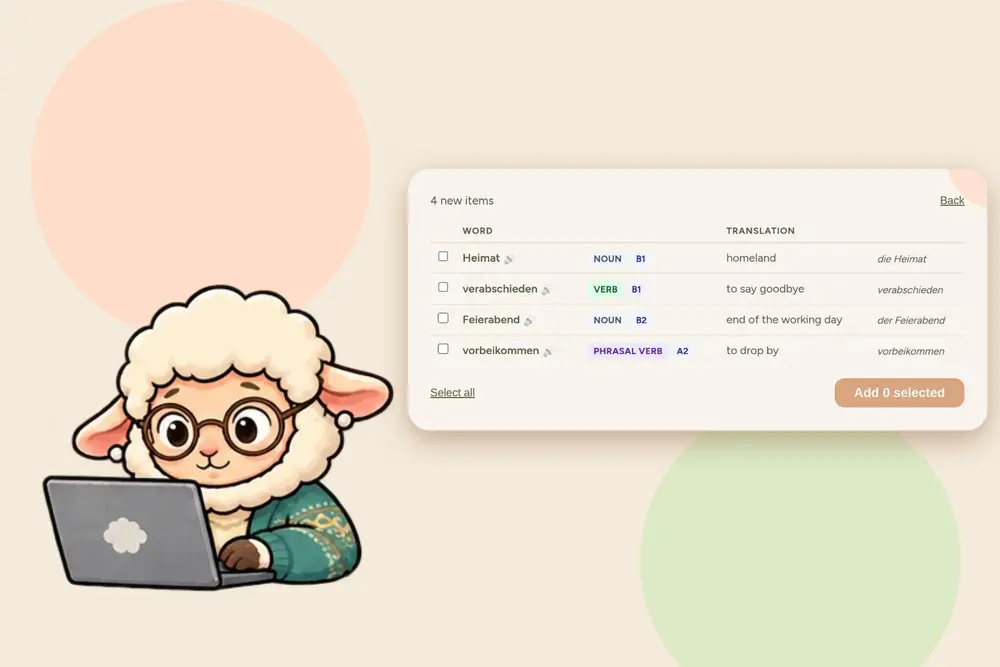
- You pick the words you want. Each one comes with a translation in your own language and example phrases, prepared for you. On the website you also see the level (A1, A2, B1 and so on) and the sentence the word came from.
- Reviews are scheduled for you. Words come back after 1, 3, 7 and 14 days, and after four successful reviews a word counts as mastered. Your own words are practised first.
- You say each word aloud, first the word and then a sentence, and the app scores your pronunciation.
All of it lives in one list that you can add to from the app, the website, the share sheet and the Chrome extension. The full walk-through, with screenshots and videos, is in Flashcards App That Makes the Cards for You.
Side by side
| Anki | GrammarMama | |
|---|---|---|
| Who creates the cards | You, or shared decks | Made from the texts you read |
| Translations and example phrases | You add them | Prepared automatically |
| Setup | Decks, add-ons, options | Nothing to set up |
| Spaced repetition | Yes, tunable (including FSRS) | Yes, fixed gaps of 1, 3, 7 and 14 days |
| Speaking and pronunciation scoring | Not built in | Every word and phrase is said aloud and scored |
| Adding words while you browse | Add-ons or copy and paste | Chrome extension and share sheet |
| Custom card layouts, images, any subject | Yes, very flexible | No, built for languages |
| Works offline | Yes | No |
| Shared decks from other users | Large library | No |
| Price | Free on desktop and Android, paid on iPhone | Free to start, with a daily limit; paid plans raise it |
Where Anki is still better
Being honest about this is the whole point of a comparison:
- Full control. Card templates, images, audio, formulas, scheduling settings. If you like to tinker, Anki lets you.
- Any subject. Medicine, law, maps, music theory. GrammarMama only does languages.
- Offline. Anki works on a plane. GrammarMama needs a connection.
- Shared decks. There is a huge library of decks made by other learners.
- Your data on your terms. Anki is open source and local-first.
If these matter more to you than saving card-making time, stay with Anki.
Moving from Anki: import your deck
GrammarMama can import an Anki deck, so you do not have to start from zero. It works on the vocabulary page of the website, and the words then show up in the app too.
- In Anki, choose File → Export and the format Notes in Plain Text (.txt). "Include HTML" can be on or off. A .csv file works too. The .apkg format is not supported.
- On the vocabulary page, choose the language you are learning and click Moving over from Anki? Import your deck.
- Pick the file, check which column is the word, which is the meaning and, if you have one, which is an example sentence. Tick the box if your file starts with a header row. Then click Import words.
Limits. Up to 3,000 cards and 1 MB per file. A bigger deck can be split into several files; duplicates are skipped, so overlapping files do no harm.
What carries over
- the word, exactly as you wrote it
- the meaning, if you mapped a column to it
- the example sentence, if you mapped a column to it
What does not
- Anki's review schedule, intervals and history: every word starts as new in GrammarMama (mark the ones you already know with I already know this)
- tags, decks, notes, images and audio
- HTML formatting, which is stripped to plain text
- any column you did not map to word, meaning or example
What is skipped. Empty words, words longer than 60 characters, and duplicates that differ only in upper or lower case (the first one wins).
The import does not use AI, so it does not count against your daily limit. Cards without a meaning are fine; the missing meanings can be filled in later. A normal deck takes a minute or two.
Who should switch, and who should not
Switch (or add GrammarMama) if:
- you are learning a language and card-making is your bottleneck
- you want to learn the words from the texts you actually read
- you want to speak from day one and get feedback on pronunciation
Stay with Anki if:
- you need custom cards, images or non-language subjects
- you study offline a lot
- you rely on community decks or fine-tuned scheduling
Use both if you want Anki for exams and GrammarMama for the languages you live in every day.
Key takeaways
- Anki is excellent and flexible, but for languages the card-making is the slow part.
- GrammarMama makes the cards from your texts, adds translations and example phrases, schedules reviews and scores your speaking.
- Anki is better for custom cards, other subjects, offline use and shared decks.
- You can import an Anki deck from a plain-text or CSV export (up to 3,000 cards and 1 MB per file); words, meanings and example sentences come across, while the review history, tags, images and audio do not.
- You can use both side by side.